Hayward · AquaRite
Hayward AquaRite and AquaRite 900
Hayward's classic salt control box, read properly: why High Salt can mean hot water, and why a low salt number from an old cell is not a reason to add salt.
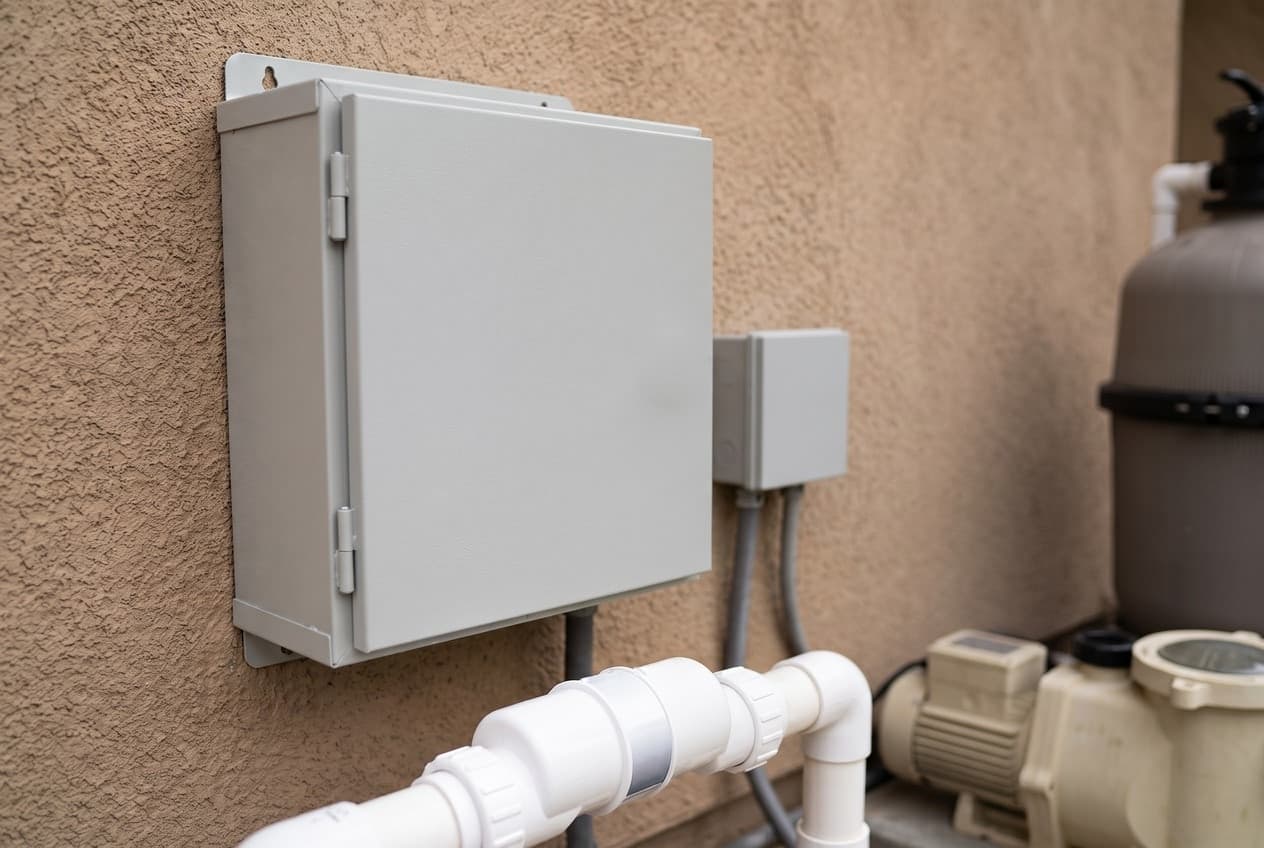
The AquaRite is the control box on the wall. The TurboCell is the cell in the pipe, and that page covers setting the cell type, the salt target, variable-speed pumps and acid washing. This page is about the box: what it is telling you, and what it is not.
Hayward now sells it as the AquaRite 900, the AQR940 and AQR925, with Extended Life cells. The AQR3 and the W3 Open Line boxes are the same control with the original cells, and Hayward's own site files them all under the AquaRite 900 series. A lot of what is written below comes from Hayward's 2017 troubleshooting guide, which is more candid than the owner's manual.
Eight readings behind one button
Press the small Diagnostic button beside the display and the AquaRite steps through eight readings, then returns to the salt level after the ninth press or 30 seconds:
- Water temperature, measured inside the cell
- Cell voltage, 22 to 32 volts DC on the quick reference guide
- Cell current, the one that tells you how hard the cell is working
- Desired output, shown as a number with a P
- Instant salt, with a minus sign in front
- Name code, AL-0 on an AquaRite
- Software revision, r1.xx
- Cell type, t-3, t-5, t-9 or t-15
Hayward's quick reference guide gives the normal average current for each cell setting:
- t-15 — 3.1 to 8.0 amps
- t-9 — 2.3 to 6.7 amps
- t-5 — 1.9 to 5.7 amps
- t-3 — 1.3 to 4.5 amps
Zero amps is not always a fault. The same guide says the system may simply be between chlorination cycles. Low amps point at the salt level or a dirty cell first.
Two codes cause trouble when someone changes them by accident. If the default screen shows a number with a P, like 77P, the display has been set to show output instead of salt. Hayward's guide fixes it by stepping to the name code and cycling the main switch until it reads AL-0. Hayward Support's answer to what the name code should be is also AL-0. And the Omni communication board manual says it must not read AL-5, or the automation cannot take control. The AquaTrol has codes of its own: AL-6 on the standard model and AL-7 on the return-jet one.
If the salt reads as a decimal, like 3.20, it has been switched to grams per liter. Press Diagnostic once, slide the switch up to Super Chlorinate and back to Auto.
The lights, and what they actually mean
CHECK SALT and INSPECT CELL, flashing. The owner's manual says flashing CHECK SALT means salt below 2,700 ppm and generating at low efficiency. Hayward's troubleshooting guide puts the flashing range at 2,400 to 2,700 ppm and says it does not affect chlorine production. The two disagree; the guide is the more specific of the two.
The same lights, steady. Production has stopped. The guide puts it at 2,300 ppm or less, the quick reference guide says an instant salt reading under 2,400 will not chlorinate, and the manual's troubleshooting list says below 2,400. Call it about 2,400 and test the water.
HIGH SALT is really high current. The troubleshooting guide says the light comes on when the cell reaches its maximum current, and the quick reference guide lists three causes: the wrong cell setting, too much salt, or hot water. Warm water conducts better, so a spa, or any warm water near the top of the salt range, can trip it. Hayward's advice for hot water is to bring salt down to 2,700 to 3,200.
NO FLOW. It should flash for a while at every pump start: 15 to 60 seconds in the manual, 10 to 60 in the guide. Steady means the switch sees no flow. The guide says the switch needs 11 GPM to engage and suggests raising a variable-speed pump before blaming the switch.
GENERATING, flashing. Water too cold or too hot. The guide puts the display message COLD below 50°F and HOT above 140°F. Two things worth knowing. A cell right downstream of a running heater or chiller can read false temperatures. And because the sensor is inside the cell, a HOT reading in normal water can mean the cell needs replacing.
-Pcb- on the display with four red and yellow lights on is the manual's sign of a circuit board fault.
When the salt number is wrong
The AquaRite does not measure salt directly, and Hayward's guide expects it to read within 500 ppm of a proper test. When it does not, the guide's order is clean the cell, check the cell setting, then reset the average salt twice.
Twice, because a TurboCell has two polarities, and the guide wants a reading from each. On a clean cell, it says, the two should never be more than 500 ppm apart. If they are, it calls for a new cell.
To reset: switch Off and back to Auto, wait for the relay to click, press Diagnostic five times to reach instant salt, let it settle, then slide the switch to Super Chlorinate and back to Auto. Hayward says to do this after startup, after a board or cell replacement, and after big chemistry changes.
The number that costs people money is a low reading from an old cell. The guide is blunt about it. If the cell is clean and a meter says the water is at the right salt, the cell is aging and reads low. That is acceptable as long as free chlorine is where it should be, and the guide says to never add salt in that situation. Raise the output dial by 25 points instead, wait 24 hours, and go up in steps of 10 from there.
Diluting a pool that has too much salt has a formula in the same guide. Multiply the average depth in inches by 3,200, divide by the salt level, and drain the difference. A pool 54 inches deep at 4,500 ppm works out at 38.4, so about 15.6 inches of water to replace. The guide says to take out no more than six inches at a time.
The output dial is a timer
The Desired Output dial is not a strength setting. It is the share of each cycle the cell is on. Since firmware 1.55 in May 2009 the cycle is three hours, so the factory 50% runs the cell for the first 90 minutes of every three. Before that it was two hours.
It also backs itself off in cool water. The guide says output drops to 20% or lower at 60°F and stops at 50°F. Hayward's manual suggests starting at 50%, testing every few days, and expecting two or three adjustments before it settles.
Super Chlorinate runs the cell at 100% for 24 hours, or until the power is cut, which on a box wired to a pump timer is the end of the pump cycle. It also overrides the cold cutoff for a day. The guide's way to clear a COLD message is to go from Off straight up to Super Chlorinate without stopping at Auto.
The firmware you have is the firmware you keep
Hayward Support has answered that the AquaRite's firmware cannot be updated. Getting a newer revision means a new main board.
That matters for one purchase in particular. Hayward's cell compatibility chart says the T-CELL-3 and T-CELL-9 need software 1.50 or later; the T-CELL-15 works on every revision. Check the r-number in the diagnostic readings before buying a smaller cell for an older box. An owner who asked about a 2006 system with a 2015 board reading 1.59 was told by Hayward Support that it would work.
Wiring it, and the two answers on the pump timer
The box ships set for 240 volts. For 120, the jumpers move from terminals 2 and 3 to 1 and 2, and Hayward's guide warns that a mismatch can damage the board. The Canadian and GFCI rules are in the manual.
On power, Hayward has given two answers. Both the AquaRite 900 manual and the older AQR manual say a standalone box should be wired to the load side of the pump timer, so it is only powered when the pump is. Hayward Support has told owners it is fine for the AquaRite to have power when the pump is off, because the flow switch will not let it generate without flow. Either way, the manual's note stands: wire the pump to the timer directly and do not use the AquaRite as a junction box.
With automation, the box is wired straight to power and takes a four-wire link, up to 500 feet, from a Hayward, Pentair or Polaris control. For a Pentair, the manual says to wire to the opposite-numbered terminals, because Pentair's color marks do not match Hayward's.
Two installation rules that get skipped. Mount the box at least 5 feet from the water. And leave its sides clear, because the enclosure is the heat sink; Hayward says not to put it inside a panel or a tight space.
The dead-box checks, in Hayward's order
Hayward's troubleshooting guide is written for technicians, and it opens by saying only qualified technicians should take the panel off. Its order is still worth knowing when you are reading a repair quote:
- Incoming power, 120 or 240 volts within 15%, and jumpers to match
- The rectifier output, 18 to 33 volts DC, which powers the cell and the display
- The transformer, 24 volts AC on its output
- The 20 amp fuse, which Hayward Support calls the most common reason the power light and display go off
- The main board, last
A quote for a new control unit, GLX-CTL-RITE, should say which of those failed. Hayward Support has said a W3AQR15 cannot be refurbished, so a failed box means replacing the part that failed, or the whole unit.
Adding Omni control
The HLAQRPCB board goes inside an existing AquaRite and lets an OmniLogic or OmniHub run it. With Hayward's HL-CHEM module, the automation can then adjust chlorine output to hold an ORP target. Hayward Support has confirmed two limits: you still need the AquaRite control box, and it does not fit the AquaRite S3.
If you are replacing rather than adding, Hayward's family brochure lays out the difference. It rates the 900's Omni upgrade as medium and the S3's as easy, and the S3 controls a heater and a variable-speed pump from its own display. The salt system explainer covers whether salt suits your pool at all, and the salt cell diagnosis is the place to start when the chlorine is low and you do not yet know why.
Reading the serial number
Hayward's guide decodes it, and it answers the warranty question before anyone has to look anything up. On units from August 2011 on, a serial like 3A11284 breaks down as:
- 3 — the standard warranty term, in years
- A — the product family
- 11 — the year made
- 284 — the day of the year
Units from November 2001 to then use a month in place of the day, so 3A0112 is a three-year term, made in December 2001.
Which model do you have?
The model number is on the salt cell label. Everything else in the range is shared — these are the parts that change with it.
| Model | SKU | Cell | Cell setting | Channel | Automation | Note |
|---|---|---|---|---|---|---|
| AquaRite 900, 40,000 gallons | AQR940 | TCELL940 | t-15 on the display | Expert Line | — | The current Expert Line box, sold with the Extended Life TurboCell. Hayward Support calls it the largest AquaRite for home use, one unit to 40,000 gallons, and names it as the replacement for a discontinued W3AQR15. |
| AquaRite 900, 25,000 gallons | AQR925 | TCELL925 | t-9 on the display | Expert Line | — | The same box with the 25,000 gallon Extended Life cell. Hayward Support's advice to an owner running three of these on 85,000 gallons was that they may struggle, and to look at the 940 instead. |
| AquaRite, 15,000 gallons | AQR3 | T-CELL-3 | t-3 on the display | Expert Line | — | Still on Hayward's site as an Expert Line system with the original T-CELL-3, and filed there under the AquaRite 900 series. The control box is the same one; the cell and the setting are what change. |
| AquaRite, Open Line, 40,000 gallons | W3AQR15 | T-CELL-15 | t-15 on the display | Open Line | — | The W3 box sold online and in stores, with a T-CELL-15. Its product page is still up, but Hayward Support has answered that it is discontinued, with the AQR940 or the AquaRite S3 AQRS340 as the replacement. It cannot be refurbished, by the same source. |
| AquaRite, Open Line, 15,000 and 25,000 gallons | W3AQR9 | T-CELL-9 | t-9 on the display | Open Line | — | W3AQR9 with a T-CELL-9 for 25,000 gallons, and W3AQR3 with a T-CELL-3 for 15,000. Open Line, so one year of parts coverage on the box. |
| AquaRite 940 Omni | HLAQR940 | TCELL940 | — | — | OmniHub included | The 940 bundled with the OmniHub controller, listed on the AquaRite 900 sell sheet and in Hayward's family brochure. HLAQR940CUL is the Canadian number. An existing AquaRite gets the same control through the HLAQRPCB board. |
| Earlier AquaRite models | AQR15 | T-CELL-15 | t-15 on the display | — | — | The older owner's manual, 092538, lists AQR15 and AQR15-LL for 40,000 gallons, AQR9 for 25,000, AQR3 for 15,000, and AQR15-120, a 120 volt model on a plug-in cord for a GFCI outlet. Canada had its own CUL and XLCUL versions. |
Hayward AquaRite and AquaRite 900 parts, and what goes wrong
Read off the manufacturer’s parts list and checked before it ships. Open a row for what a bad one actually does — or start from the symptom and work down, which is the cheaper order.
What is it doing?
Asked why the power light and display go off on an AquaRite 900, Hayward Support's answer was that the most common reason is a blown fuse. It is a 20 amp mini ATO fuse on the main board, above the cell connector. Hayward also sells a glass slow-blow 20 amp fuse, GLX-F20-10PK; its listing ties this yellow one to units after 1104 without saying what 1104 refers to. The troubleshooting guide adds that a damaged fuse can still show continuity, so look at it as well as testing it.
Live pricing arrives when the retailer programs are approved.
The troubleshooting guide's order is pump and valves first, then 12 inches of straight pipe before the switch, then the arrow on top pointing with the flow, then the plug and the cable. Hayward calls it a safety switch and says not to repair the wire or the switch in any way. The same guide's tip for telling a bad switch from a bad board: plug in one you know works and hold it closed for 60 seconds.
Live pricing arrives when the retailer programs are approved.
Hayward Support confirms this is also the board for the AquaRite 900. It is the only way to newer firmware: asked how to update from r1.4 to r1.5, Hayward Support said it cannot be done and the board has to be replaced. New boards come set for 240 volts, and the troubleshooting guide warns that a mismatch between the jumpers and the supply can damage the board.
Live pricing arrives when the retailer programs are approved.
Shared with the AquaLogic and AquaTrol. The troubleshooting guide's test is 24 volts AC across its two yellow output wires. No output with 120 volts reaching it from the board means the transformer; no 120 volts from the board means the board.
Live pricing arrives when the retailer programs are approved.
The rectifiers turn the transformer's AC into the DC that runs both the cell and the display, which is why a rectifier fault can look like a display fault. The guide's check is 18 to 33 volts DC between the red and black wires. The current manual lists this number; the 2017 troubleshooting guide names the rectifiers GLX-DRK.
Live pricing arrives when the retailer programs are approved.
Replaced only after the board is shown to be sending it 5 to 10 volts DC on pins 2 and 4, per the troubleshooting guide. Reseating it first is one of the guide's own steps.
Live pricing arrives when the retailer programs are approved.
Mounts inside the AquaRite box and lets an OmniLogic or OmniHub run it, including ORP control with an HL-CHEM module. Hayward Support says an AquaRite control box is still needed, and that it does not fit the AquaRite S3. Before setup the display's name code must not read AL-5.
Live pricing arrives when the retailer programs are approved.
Hayward's troubleshooting guide expects the AquaRite to read within 500 ppm of an independent test. This is the meter Hayward sells for that test, and it settles whether the problem is the water or the cell.
Live pricing arrives when the retailer programs are approved.
If you are doing the job anyway
Before buying anything, press the Diagnostic button through its eight readings. The cell current, the software revision and the cell setting answer most of the questions a parts counter will ask.
Power light and display are off
Hayward Support's most common cause is the fuse, which costs a few dollars. The transformer is the next test in Hayward's guide, and both come before the board.
- Fuse, 20 A, yellow, 10 packGLX-F20A-10PK
- TransformerGLX-XFMR
NO FLOW with the pump running
A new switch and the tee it threads into. The switch is sold without a tee, and a cracked tee or stripped threads mean buying both anyway.
- Flow switch, 15 ft cableGLX-FLO-RP
- GLX-FLO-TGLX-FLO-T
The salt number disagrees with the pool store
Hayward's own meter to settle what is in the water, and the stand to clean the cell properly, because a scaled cell reads low and a clean one reads true.
- Handheld digital salt meterGLX-SALTMETER
- GLX-CELLSTANDGLX-CELLSTAND
Hayward AquaRite and AquaRite 900 manuals and documentation
Hosted by the manufacturer. These open on Hayward’s own servers, so they stay current.
- AquaRite owner's manual (092540 Rev G) — the W3 modelsmanual
- AquaRite 900 series owner's manual (092623 Rev D)manual
- AquaRite owner's manual (092538 Rev D) — the earlier AQR modelsmanual
- AquaRite troubleshooting guide (TSG-AQR159d, 2017)guide
- Salt chlorine generator quick reference guide (092573 Rev C)guide
- AquaRite 900 quick reference guide (092624)guide
- AquaRite communication board for Omni controls (092718 Rev B)manual
- AquaRite 900 series sell sheet (LITAQR90023C)spec
- AquaRite family brochure (LITAQRBRO23)spec
- AquaRite 900 product page, with Hayward Support's answersspec
Hayward AquaRite and AquaRite 900 warranty
3 years parts, 1 year labor
Three years parts and one year labor on the Expert Line boxes, the AQR940, AQR925 and AQR3, which is what their product pages show and what Hayward's 2026 Expert Line terms set. The W3 Open Line boxes get one year of parts and no labor, on their product pages, in the owner's manual and in the 2026 Open Line terms; the cell has three years of parts coverage in either channel. Two older documents say more: the 2023 family brochure and the AquaRite 900 manual both give the 900 four years, the brochure only when sold by a Totally Hayward partner. The 2026 schedule is the current one. Commercial pools get one year, a non-genuine cell voids the warranty, and the first digit of the serial number is the standard warranty term, which is the fastest way to find out what yours carried.
Manufacturer’s termsHayward AquaRite and AquaRite 900 complete parts list
Every part on the manufacturer’s exploded diagram, in their numbering. Marked rows are the ones covered above with a symptom and a diagnosis.
29 parts
| No. | Part | Description | Note |
|---|---|---|---|
| Control | GLX-CTL-RITE | Control unit, AquaRite | Hayward Support: the metal box with all its components |
| Control | GLX-PCB-RITE | Main PCB, AquaRite what goes wrong | Also the AquaRite 900 board |
| Control | GLX-PCB-DSP | Display PCB, AquaRite what goes wrong | |
| Control | GLX-XFMR | Transformer, AquaLogic, AquaRite and AquaTrol what goes wrong | |
| Control | GLX-R-10PK | Rectifier what goes wrong | Current manual |
| Control | GLX-DRK | Rectifiers | The 2017 troubleshooting guide's number |
| Control | GLX-F20A-10PK | Fuse, 20 A, yellow, 10 pack what goes wrong | Hayward's listing: after 1104 |
| Control | GLX-F20-10PK | Fuse, 20 A, glass, slow blow, 10 pack | Hayward's listing reads AQ RITE/1104 |
| Control | GLX-FUSE-20 | Fuse holder kit | |
| Control | GLX-STDOFFPAK20 | Display standoff, 20 pack | |
| Control | HLAQRPCB | Communication board for OmniLogic and OmniHub what goes wrong | |
| Flow | GLX-FLO-RP | Replacement flow switch, 15 ft cable, no tee what goes wrong | |
| Flow | GLX-FLO-RP-25 | Replacement flow switch, 25 ft cable, no tee | |
| Flow | GLX-FLO-RPPAK10 | Replacement flow switch, 10 pack | |
| Flow | GLX-FLO-T | Flow switch tee, 2 x 2 x ½ in. | |
| Cell | T-CELL-3 | TurboCell, 15,000 gallons | Needs AquaRite software 1.50 or later |
| Cell | T-CELL-9 | TurboCell, 25,000 gallons | Needs AquaRite software 1.50 or later |
| Cell | T-CELL-15 | TurboCell, 40,000 gallons | Every software revision |
| Cell | T-CELL-15LL | TurboCell, 40,000 gallons, on the t-15 setting | Named in the AquaRite 900 manual |
| Cell | GLX-CELL-3-W | TurboCell, 15,000 gallons, warranty replacement number | |
| Cell | GLX-CELL-9-W | TurboCell, 25,000 gallons, warranty replacement number | |
| Cell | GLX-CELL-15-W | TurboCell, 40,000 gallons, warranty replacement number | |
| Cell | TCELL925 | Extended Life TurboCell, 25,000 gallons | |
| Cell | TCELL940 | Extended Life TurboCell, 40,000 gallons | |
| Cell | TCELL94025 | Extended Life TurboCell, 40,000 gallons, 25 ft cord | |
| Cell | GLX-CELL-UNION | Cell union: tailpiece, nut and o-ring, 2 in. slip | |
| Cell | GLX-CELL-PIPE | Cell placeholder pipe | |
| Cell | GLX-CELLSTAND | Cell cleaning stand | |
| Test | GLX-SALTMETER | Handheld digital salt meter what goes wrong |