AquaChek · Select
AquaChek Select Connect
AquaChek's Select Connect 7-in-1 strips, once sold as Select: the ranges on each pad, how to dip one, what the app adds, and why hardness is total hardness.
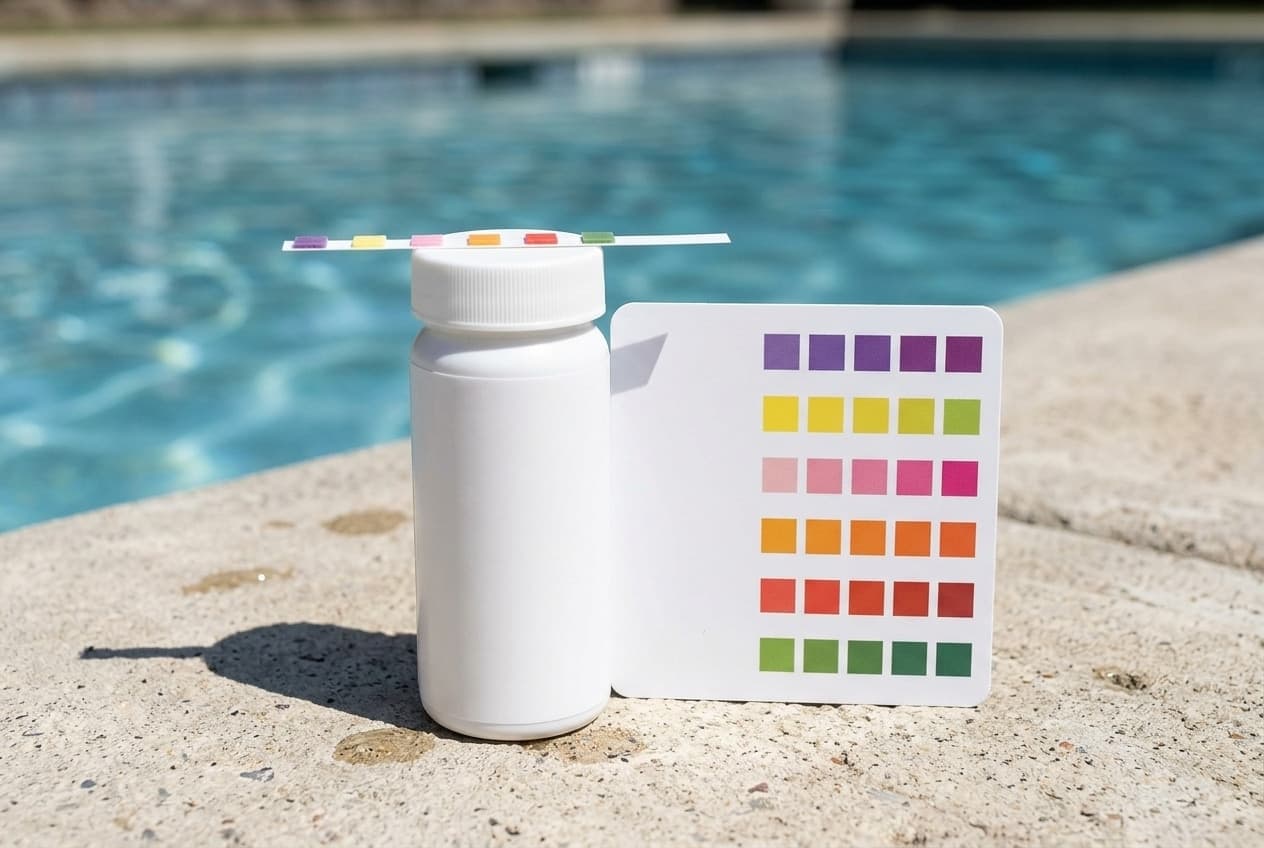
The Select Connect kit is AquaChek's seven-test strip for pools and spas: dip one strip, wait fifteen seconds, and read seven results against a color chart or with AquaChek's phone app. It is the kit AquaChek used to sell as Select, and its old product page now leads here. Pool Warehouse, which still lists it under the Select 7-in-1 name as 541604APP, had the 50-strip kit at $19.00 on 12 September 2026.
AquaChek's website is copyrighted to Hach/ETS.
What it tests
AquaChek's ranges for each test:
- Total hardness: 0 to 1,000 ppm.
- Total chlorine: 0 to 10 ppm.
- Total bromine: 0 to 20 ppm.
- Free chlorine: 0 to 10 ppm.
- pH: 6.2 to 8.4.
- Total alkalinity: 0 to 240 ppm.
- Cyanuric acid: 0 to 300 ppm.
That is seven tests on six pads. AquaChek's guide says the second pad reads total chlorine or total bromine, depending on which sanitizer you use, so each strip gives six readings.
Two of those results are not quite what their names suggest:
- Hardness is total hardness, which AquaChek defines as calcium and magnesium together. A kit that tests calcium hardness reads calcium alone, so the two numbers will not match.
- Cyanuric acid needs the rest of the water in range. AquaChek's note says the pad gives its best results with pH between 7.0 and 8.4 and alkalinity at or below 240 ppm.
How to dip a strip
From AquaChek's guide:
- Dry your hands before taking a strip out, and put the cap back on right away.
- Dip the strip in the pool and pull it out immediately.
- Hold it level, pads up, for 15 seconds. Do not shake off the excess water.
- Read it at once against the chart. The pads run, from the end of the strip to the handle: total hardness, total chlorine or bromine, free chlorine, pH, total alkalinity, cyanuric acid.
- If a pad falls between two color blocks, estimate the value between them.
AquaChek's guide says that if total chlorine reads higher than free chlorine, the pool needs shocking.
The app
AquaChek's free app uses the phone's camera to scan the dipped strip instead of matching colors by eye, and gives a treatment recommendation from the result. AquaChek says no registration is required. The strips can still be read against the chart without it.
Keeping the strips good
Strips spoil from moisture and age, and AquaChek's handling rules follow from that:
- Keep the cap on tight between uses, so moisture stays out of the unused strips.
- Keep wet fingers out of the bottle. A strip cannot tell the water on your hand from pool water.
- Leave the drying packet in the bottle.
- Store the bottle at room temperature somewhere dry. A hot, humid pool shed is neither.
- Do not use strips past the expiration date on the container, however well they have been stored. AquaChek says strips have a definite shelf life and expired ones will likely read inaccurately.
- Follow the directions on this container, not another maker's or an older kit's. AquaChek says following the wrong directions causes most inaccurate results.
Refills and the color chart
The Select Connect Refill is a bottle of 50 strips. Its package says the color chart is not included, so keep the chart from the kit. For the older Select 7-in-1 kit's plastic comparator, AquaChek offers a replacement color chart through a request form on its site.
Where AquaChek's documents disagree, or are dated
- The product insert is old. The guide AquaChek links as the Select kit's insert is its "Complete Guide to Pool and Spa Care", a file last modified in 2009. It describes a refill kit that came with a fresh color chart; today's refill package says the chart is not included.
- How often to test. AquaChek's FAQ says at least two to three times a week. The insert says at least twice a week if the pool is not being used, and more often as swimmer load rises.
- Shocking. The insert says to raise free chlorine to 10 ppm for at least 4 hours, and gives a single free chlorine range of 1 to 3 ppm. Neither accounts for stabilizer: the chlorine a pool needs rises with its cyanuric acid, which is why this site's shock guide sets the target from the CYA reading.
- Cyanuric acid. The insert calls 30 to 150 ppm acceptable, or 100 ppm where a health department caps it, with 30 to 50 ppm ideal.
- Alkalinity. The insert gives two targets by sanitizer: 100 to 120 ppm with dichlor, trichlor or bromine, and 80 to 100 ppm with calcium, sodium or lithium hypochlorite.
Which model do you have?
The model number is on the test kit label. Everything else in the range is shared — these are the parts that change with it.
| Model | SKU | Note |
|---|---|---|
| Select Connect Test Strips Kit | 541604APP | 50 strips, a reusable color chart and AquaChek's pool and spa care guide. AquaChek's own pages give no part number; 541604APP is the number Pool Warehouse lists, at $19.00 on 12 September 2026, under the older Select 7-in-1 name. AquaChek's old Select product page now leads to this kit. |
AquaChek Select Connect manuals and documentation
Hosted by the manufacturer. These open on AquaChek’s own servers, so they stay current.
- AquaChek Select Connect Kit product page — tests and rangesspec
- AquaChek Select Connect Refill product pagespec
- AquaChek Select kit product insert — The Complete Guide to Pool and Spa Caremanual
- AquaChek Water Testing 101 — storage, expiration and handlingspec
- AquaChek replacement color chart request, for the Select 7-in-1 comparatorspec
AquaChek Select Connect refills
A test strip kit has no parts in the usual sense, and AquaChek publishes no part numbers for this one on its own pages. What it does offer is a refill bottle of 50 strips, the Select Connect Refill, and a replacement color chart by request for the older Select 7-in-1 kit's plastic comparator.
Buy the test kit
One retailer for now. More get added here as their programs are approved, and this becomes a comparison rather than a link.