Dolphin · Premier
Dolphin Premier
Maytronics' Dolphin Premier as sold now — the weekly timer, the bottom-load filter, the water limits, and what Maytronics does not publish for it.
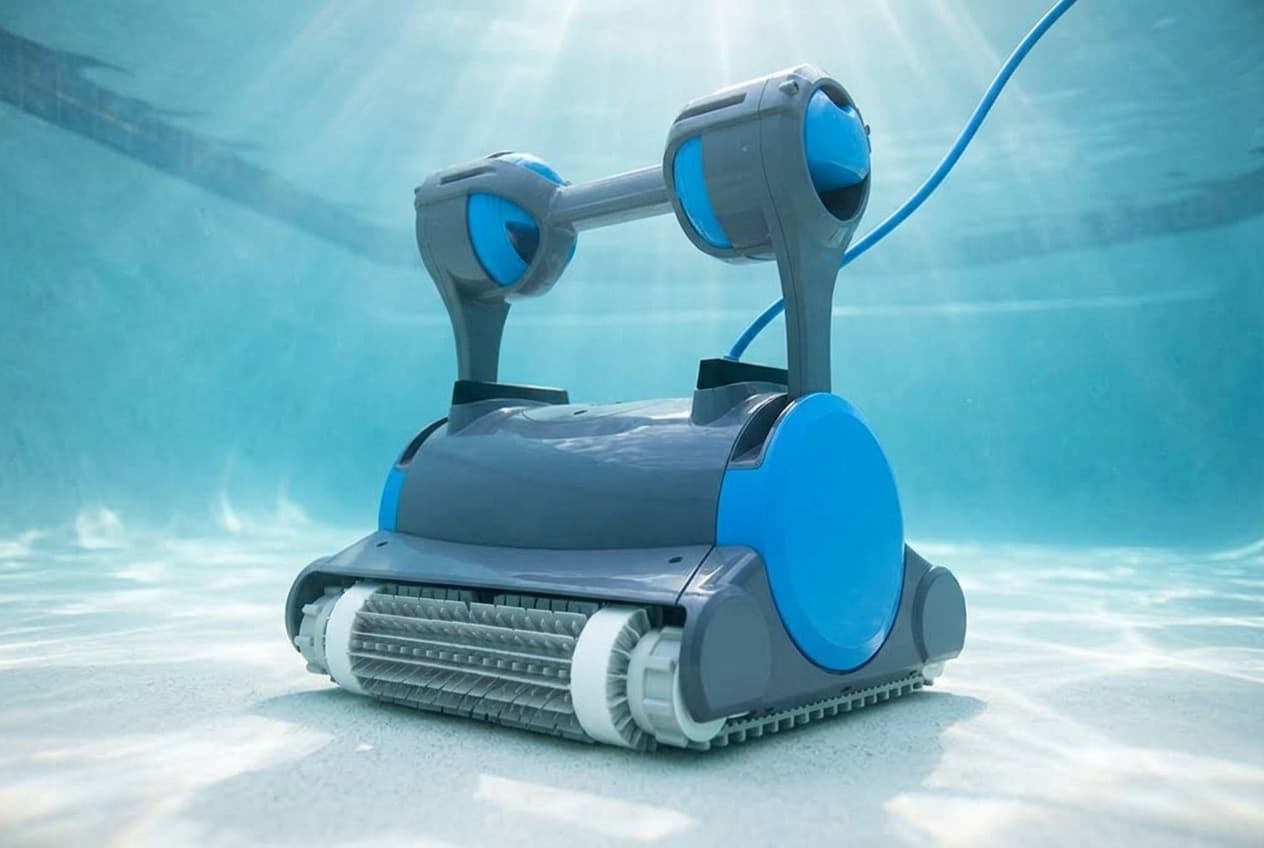
The Dolphin Premier is Maytronics' corded robot for in-ground pools up to 50 feet, listed at $2,499 with a three-year warranty. It cleans the floor, walls and waterline on a three-hour default cycle, has no app, and schedules itself from a weekly timer on the power supply.
The Premier on sale now
The Premier name has been around for years, and descriptions of it tend to carry features that Maytronics' current page for 99996339-SPL does not list. This site's own robot roundup described it, until September 2026, with SmartNav 2.0 navigation and multi-media filtration that swapped between NanoFilters, cartridges and a leaf bag.
Maytronics' specification table today says something narrower:
- Navigation: CleverClean.
- Filtration: an interchangeable filter bag and cartridge, loaded from the bottom, with a fine filter kit in the box.
- Suction rate: 4,500 gallons per hour.
- Brushes: two combined brushes.
- Weight: 20.3 pounds, which Maytronics markets as lightweight.
Buy against that table, not against a description of an earlier Premier.
Setting it up
- Keep the power supply at least 12 feet from the pool's edge, in the shade, plugged into an outlet with a ground fault interrupter. Never use an extension cable.
- Soak the brushes if they are combined or Wonder brushes: squeeze them gently in the water until they are saturated.
- Put in only the cable it needs to cover the pool, and leave the rest rolled up outside.
- Lower it in, let it sink, and switch the power supply on. It runs a full cycle and switches itself off.
Nobody should be in the pool while it runs. To take it out, use the handle, never the cable.
The weekly timer
Scheduling lives on the power supply, not in an app. When you switch it on, the three LEDs blink for five seconds, and pressing SELECT during that window picks a schedule for the week:
- LED 1: a full cycle every day, seven times a week.
- LED 2: every other day, three times a week.
- LED 3: every three days, twice a week.
The robot always starts one cycle at setup. If you press nothing in the first five seconds, it runs that one cycle only. While the timer is running, the LED blinks between cycles, and at the end of the week the power supply switches itself off, so the schedule has to be set again each week.
The full filter indicator
A red LED on the power supply watches the filter:
- Blinking: the filter is partially blocked.
- Lit: it is blocked and has to be emptied.
If the light stays on after you have emptied and cleaned the filter, press RESET while the robot is working.
Cleaning the filter
Maytronics says to wash the filter after every cycle, because a clogged filter reduces both the robot's scanning and its cleaning. The filter comes out of the bottom: turn the robot upside down, open the bottom lid and pull it out, then hose it clean.
Periodic maintenance
Unplug the power supply first. Take off the impeller cover, clean around the impeller housing, and put it back. When refitting, Maytronics' guide says to place the cover at an angle so the notch sits on the second ring of the spring.
The cable, and storage
To take the kinks out of the cable, stretch it out completely and leave it in the sun for at least a day.
Store the robot in the shade on its caddy, or upside down if there is no caddy. Coil the cable and keep everything somewhere cool and dry, out of direct sunlight, excessive heat and frost.
Water it is rated for
Maytronics limits the Premier to:
- Chlorine at no more than 4 ppm.
- pH between 7.0 and 7.8.
- Water temperature between 43°F and 93°F.
- Salt at no more than 5,000 ppm.
- Depth between 2.6 and 16.4 feet.
A pool that is still below 43°F in spring is outside its rating.
What Maytronics does not publish
- A parts diagram. Maytronics lists 19 spare parts for the Premier on a parts page for this robot, from the power supply and cable to the impeller, tracks, brushes and filters, but publishes no exploded diagram showing where they go.
- A matching manual. The user manual its portal serves for this part number is titled Dolphin Classic 5 / Top 5, with a float setup the Premier's own documents do not describe, and a remote control that comes standard on the Top 5 but is only an optional accessory for the Premier. The quick start guide is the only document that carries the Premier's name and part number, and it is the one this page follows.
- US warranty terms. Maytronics' US terms of sale point to its limited warranty at a link that reads, literally, "[LINK]".
Where Maytronics' documents disagree
- Power supply distance. The Premier quick start guide says 3.5 meters, 12 feet from the pool's edge. The Classic 5 / Top 5 manual it links says 3 meters, 10 feet. Use the larger figure.
- Scrubbing. The product page's feature list promises powerful active scrubbing; the same page's specification table lists Active Brush: No.
Making a warranty claim
Three years, serviced through an authorized Maytronics dealer and valid only in the country of purchase. Register the robot, and keep the invoice with its date and serial number, because that is what a claim asks for.
Which model do you have?
The model number is on the cleaner label. Everything else in the range is shared — these are the parts that change with it.
| Model | SKU | Note |
|---|---|---|
| Premier | 99996339-SPL | Maytronics lists it at $2,499 with a three-year warranty. Its manual portal answers to 99996339 with or without the -SPL suffix and serves the same user manual for both. |
Dolphin Premier parts, and what goes wrong
Read off the manufacturer’s parts list and checked before it ships. Open a row for what a bad one actually does — or start from the symptom and work down, which is the cheaper order.
What is it doing?
The power supply's red filter light blinks when the filter is partly blocked and stays lit when it is blocked. Maytronics says to wash the filter after every cycle, because a clogged one cuts both scanning and cleaning: turn the robot over, open the bottom lid and pull the bag out. If the light stays on after cleaning, press RESET while the robot is running. The complete filter bag kit is 99954305-RK1, and the bottom lids with fine or ultra-fine filters are 9991456-ASSY and 9991414-R1.
Live pricing arrives when the retailer programs are approved.
The quick start guide's periodic maintenance: unplug the power supply, take off the impeller cover, clean around the impeller housing and put it back, with the cover's notch on the second ring of the spring.
Live pricing arrives when the retailer programs are approved.
Maytronics' fix for kinks is to stretch the cable out completely and leave it in the sun for at least a day. Never use it to lift the robot out of the water. This is the replacement cable and swivel Maytronics lists for the Premier, which also puts the cable at 56 feet.
Live pricing arrives when the retailer programs are approved.
Dolphin Premier manuals and documentation
Hosted by the manufacturer. These open on Dolphin’s own servers, so they stay current.
- Spare parts for the Dolphin Premier — Maytronics' parts list for this robotspec
- Dolphin Premier product page — specification table and list pricespec
- Premier quick start guide (99996339-SPL)guide
- User manual served for the Premier — titled Dolphin Classic 5 / Top 5 (8151643)manual
- Maytronics warranty registration, with its warranty service conditionsspec
Dolphin Premier warranty
3 years parts
Three years, per Maytronics' product page. Maytronics does not publish the terms behind that number for US buyers: its US terms of sale say the limited warranty can be found at a link that is still a literal placeholder, and the Premier's user manual carries no warranty section. What its registration site does say is how a claim works. Warranty service goes through your nearest authorized Maytronics dealer, with a copy of the invoice showing the date of purchase, the serial number and a description of the problem attached to the robot, and the warranty only applies in the country where the robot was bought. Register it when you buy it, and keep the invoice.
Manufacturer’s termsDolphin Premier complete parts list
Every part number the manufacturer lists for this equipment, from its own documents. Marked rows are the ones covered above with a symptom and a diagnosis.
| Part | Description | Note |
|---|---|---|
| 9995678-US-ASSY | Power supply, 180 W, with weekly timer and filter indicator | |
| 9995872-DIY | Cable with swivel, 17 m / 56 ft what goes wrong | Listed as CABLE AND SWV DIY 17M/56 DYN BASIC |
| 58984402LF | US power cord, 3-wire | |
| 9995266-R1 | Impeller, black, with screw what goes wrong | |
| 9985006-R2 | Tracks, gray, 2 | |
| 3884997-R3 | Guide wheels and pulley kit | |
| 99955230-ASSY | Brush assembly, gray | Listed as DIAG-C.B |
| 6101611-R4 | Sponge climbing rings, 4 | |
| 99954305-R1 | Fine filter bag what goes wrong | |
| 99954305-RK1 | Filter bag kit | |
| 9991456-ASSY | Bottom lid with fine filter | |
| 9991414-R1 | Bottom lid with ultra-fine filters | |
| 9991408-R4 | Fine debris filter panels, 4 | |
| 9991425-R4 | Ultra-fine filter panels, medium, 4 pack | |
| 9991425-ASSY | Ultra-fine filter panels, medium, 4 pack | Listed separately from 9991425-R4 |
| 9993179-R1 | Remote control, manual drive and cycle selector | Optional; none comes in the box |
| 9996084-ASSY | Universal caddy | |
| 9991795-R1 | Premium caddy cover | |
| 9991794-R1 | Classic caddy cover |