Dolphin · Nautilus
Dolphin Nautilus CC Plus
Maytronics' Dolphin Nautilus CC Plus as sold now — a 40-foot, floor-and-walls robot with the app, one year of warranty, and how it sits against the Premier.
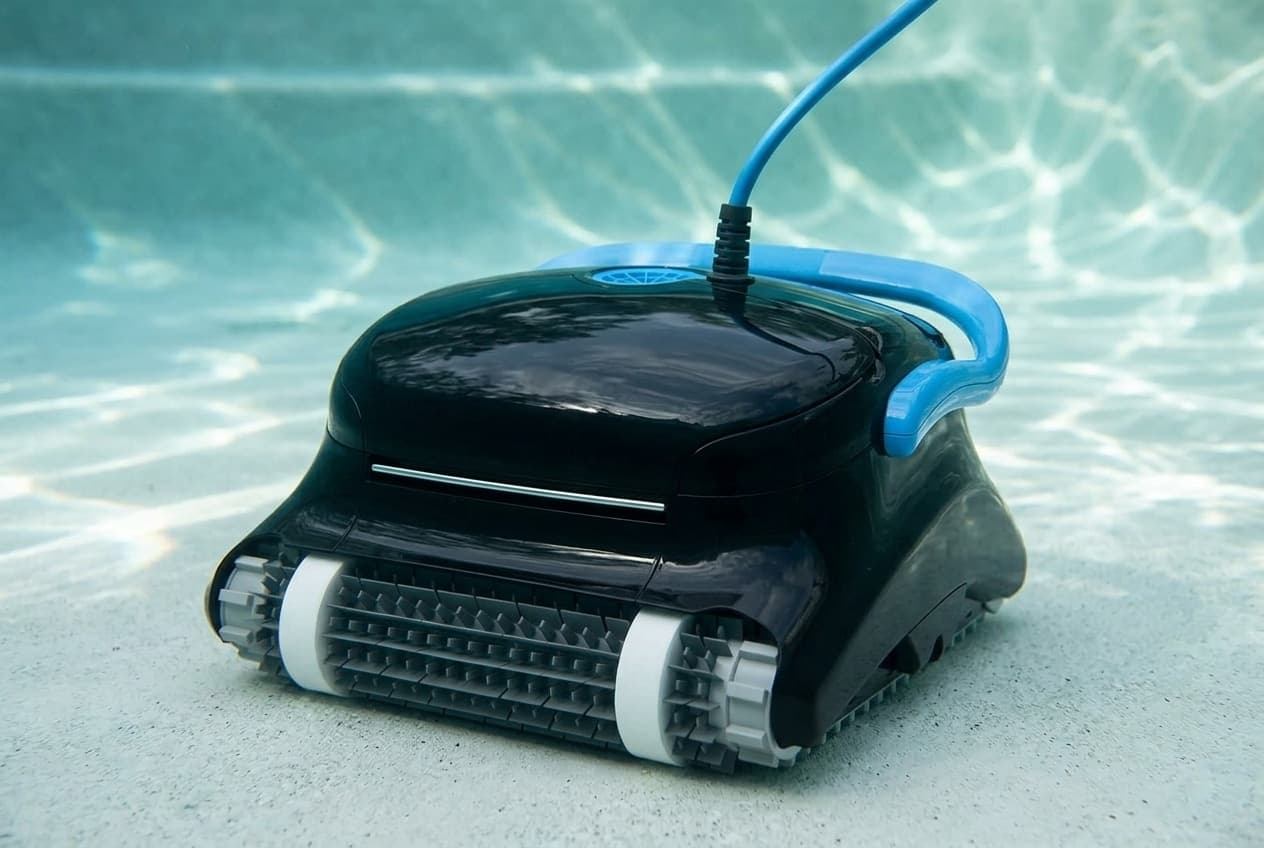
The Nautilus CC Plus is the robot most people start with in the Dolphin range, and the one Maytronics sells on its US store now is the Wi-Fi version, 99996409-PCI, at $749. Maytronics rates it for in-ground pools up to 40 feet, cleaning the floor and walls on a two-hour cycle, with the MyDolphin Plus app, a weekly timer, and a one-year warranty.
What it does not do
Two lines in Maytronics' specification table are worth reading before anything else, because they are the two most often assumed:
- Waterline scrubbing: No. Maytronics lists its coverage as floor and walls.
- Maximum pool length: 40 feet. Not 50.
If a pool needs either, Maytronics' own comparison on the same page points up the range: the Nautilus CC Pro at $999 is the least expensive robot in that comparison rated for 50-foot pools with the waterline, with the CC Supreme and Titan above it. All four carry one year.
The CC Plus against the Premier
Set side by side from Maytronics' specification tables:
- Maximum pool length: 40 feet, against the Premier's 50.
- Coverage: floor and walls, against floor, walls and waterline.
- Warranty: one year, against three.
- Suction rate: the same 4,500 gallons per hour on both.
- App: the CC Plus has MyDolphin Plus; the Premier has none.
- Filter: top access with an ultra-fine kit, against the Premier's bottom-load bag and cartridge.
- Default cycle: two hours, against three.
- Weight: 20.8 pounds, against 20.3.
- List price: $749, against $2,499.
Setting it up
- Keep the power supply at least 12 feet from the pool, on an outlet with a ground fault interrupter. It is splash-proof, not waterproof, so never put it in water.
- Lay out only the cable it needs to cover the pool, straight along the side, with no twists or kinks.
- Put the robot in the water before plugging the power supply in. Maytronics' manual says not to plug in first.
- If it has combined or Wonder brushes, squeeze them in the water until they are fully wet, or it may not sink.
- Plug the floating cable into the power supply, plug the power supply into the outlet, and switch it on.
Nobody should be in the pool while it runs.
Taking it out
If the cycle has not finished, switch off and unplug the power supply first. Then pull the floating cable gently until the robot reaches the surface, and lift it out by the handle. Maytronics is explicit that the cable is for bringing it up, not for lifting it out of the water.
Cleaning the filters
Unplug the power supply. Take the filter elements out, clean them, and reassemble them with the locating tabs at the bottom of each element in their grooves on the base frame, then close the S clip. The elements have a grooved end fitting and an octagonal end fitting, and Maytronics says not to force them into place.
It also recommends rinsing the brushes with clean water after every cycle.
The impeller
Unplug the power supply, take off the impeller cover, clean around the impeller housing and put it back. A blocked impeller is the first thing Maytronics checks when the motor will not run.
When it is not cleaning properly
- Cable twisting or coiling: check for obstructions, take excess cable out of the pool, clean the filter, and lay the cable straight in the sun from time to time.
- Moving in circles, or missing parts of the pool: check the moving parts for foreign objects, clean the filters and close the filter doors, and let out enough cable to reach the whole pool. At the start of a season, brush algae off the floor and walls before the first run.
- Not sinking: soak the combined or Wonder brushes.
- Motor not working: check the impeller and the drive for blockages, then the power source. If the power is fine, it goes to a dealer.
- Flipping onto its side: clean the filter.
Maytronics' water limits for it are chlorine up to 4 ppm, pH 7.0 to 7.8, 43°F to 95°F, and salt up to 5,000 ppm.
Storage
Coil the cable and store the robot somewhere cool and dry, out of direct sunlight, excessive heat and frost.
What Maytronics does not publish
- A parts diagram. Maytronics lists 17 spare parts for the CC Plus on a parts page for this robot, from the power supply and impeller to tracks, brushes and filter panels, but publishes no exploded diagram showing where they go.
- A model-specific manual. The manual served for this part number is Maytronics' universal instructions, which do not mention Wi-Fi or the app, and the quick guide link returns an empty file.
- US warranty terms, which Maytronics' US terms of sale point to at a link that reads "[LINK]".
The warranty, and the listing you buy from
Maytronics lists one year. A retailer listing may say something else — the one this site's roundup links advertises 30 months — and without published terms from Maytronics, the listing's own wording is the thing to keep. Register the robot, keep the invoice with its date and serial number, and expect a claim to go through an authorized Maytronics dealer in the country where you bought it.
Which model do you have?
The model number is on the cleaner label. Everything else in the range is shared — these are the parts that change with it.
| Model | SKU | Note |
|---|---|---|
| Nautilus CC Plus with Wi-Fi | 99996409-PCI | The CC Plus Maytronics sells on its own US store, at $749. Maytronics' store also lists refurbished and open-box CC Plus robots under other part numbers, and bundles with a caddy, a cover or extra filters. |
Dolphin Nautilus CC Plus parts, and what goes wrong
Read off the manufacturer’s parts list and checked before it ships. Open a row for what a bad one actually does — or start from the symptom and work down, which is the cheaper order.
What is it doing?
A blocked impeller is the manual's first check when the motor will not run, and foreign objects in the moving parts are its first check for a robot going in circles. Unplug the power supply, take off the impeller cover, clean around the housing and put it back.
Live pricing arrives when the retailer programs are approved.
The manual's answer to a robot that flips is a clean filter cartridge, and a clean filter with its doors closed is on its list for circling and cable twisting too. Reseat each panel with its locating tabs in the base frame grooves and close the S clip, without forcing it. The complete ultra-fine assembly is 9991427-ASSY, and the fine panels are 9991433-R4.
Live pricing arrives when the retailer programs are approved.
The manual's cause for a robot that will not sink is combined or Wonder brushes that are not soaked: squeeze them in the water until they are fully wet. Maytronics also lists the single Wonder brush ring, 6101611.
Live pricing arrives when the retailer programs are approved.
Dolphin Nautilus CC Plus manuals and documentation
Hosted by the manufacturer. These open on Dolphin’s own servers, so they stay current.
- Spare parts for the Dolphin Nautilus CC Plus with Wi-Fi — Maytronics' parts list for this robotspec
- Dolphin Nautilus CC Plus with Wi-Fi product page — specification and comparison tablesspec
- User manual served for the CC Plus — Maytronics' universal instructions (MBC8-UNI, 8151830)manual
- Maytronics warranty registration, with its warranty service conditionsspec
Dolphin Nautilus CC Plus warranty
1 year parts
One year, per Maytronics' product page, and one year on each of the other Nautilus robots Maytronics compares it with — the CC Pro, CC Supreme and Titan — against three years on the Premier and Sigma. Retail listings do not all use Maytronics' figure: the Pool Warehouse listing this site's roundup links advertises a 30-month manufacturer warranty for the CC Plus. That is the retailer's claim, and Maytronics publishes no US warranty terms that would settle it, so read the terms on the listing you buy from and keep them with the invoice. Maytronics' registration site says warranty service goes through your nearest authorized Maytronics dealer, with a copy of the invoice showing the date of purchase, the serial number and a description of the problem, and that the warranty only applies in the country of purchase.
Manufacturer’s termsDolphin Nautilus CC Plus complete parts list
Every part number the manufacturer lists for this equipment, from its own documents. Marked rows are the ones covered above with a symptom and a diagnosis.
| Part | Description | Note |
|---|---|---|
| 99956083-ASV10 | Power supply, 180 W, Wi-Fi (V10) | |
| 58984402LF | US power cord, 3-wire | |
| 9995266-R1 | Impeller, black, with screw what goes wrong | |
| 9980891 | Non-return flap | |
| 9985006-R2 | Tracks, gray, 2 | |
| 9985015-R2 | Tracks, gray, long and short | |
| 3884997-R3 | Guide wheels and pulley kit | |
| 6101611-R4 | Sponge climbing rings, 4 what goes wrong | |
| 6101611 | Wonder brush ring | Listed as C.B |
| 9991427-ASSY | Ultra-fine filter assembly, M line | |
| 9991432-ASSY | Ultra-fine filter panels, M line, 4 pack | |
| 9991432-R4 | Ultra-fine debris filter panels what goes wrong | |
| 9991428-ASSY | Fine filter assembly, M line | |
| 9991433-R4 | Fine debris filter panels, 4 | |
| 9996085-ASSY | Universal caddy | |
| 9991795-R1 | Premium caddy cover | |
| 9991794-R1 | Classic caddy cover |