Aiper · Scuba
Aiper Scuba V3
Aiper's camera-guided Scuba V3 for floors, walls and waterline: what its runtime covers, the two parts Aiper sells for it, and where its own pages disagree.
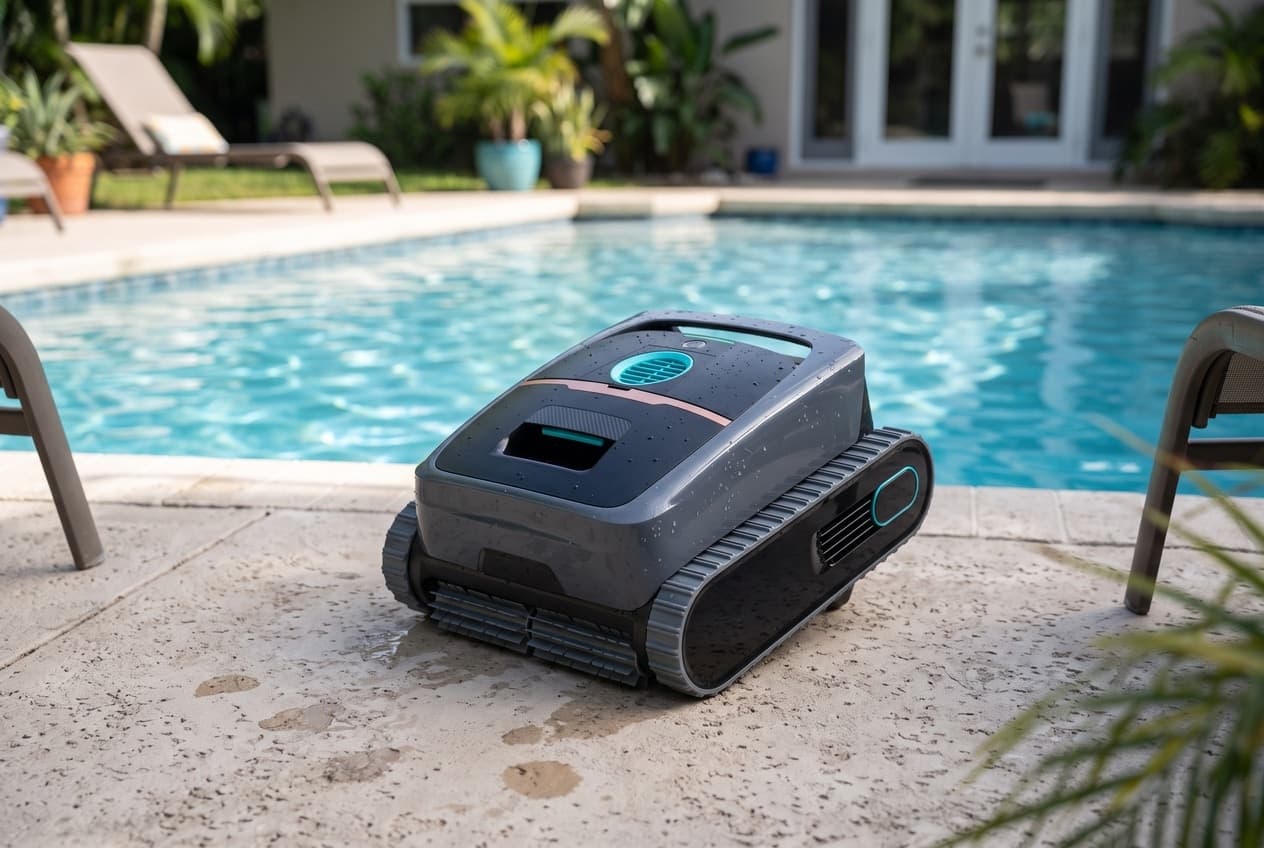
The Scuba V3 is Aiper's camera-guided robot for the floor, walls and waterline, at less than half the V3 Ultra's price. It has one front-facing camera, a dToF distance sensor and 4,800 gallons per hour of suction. Aiper's US store listed it at $899.99 against a regular price of $1,099.99 when this page was checked.
What it cleans
Aiper rates it for pools up to 1,600 square feet, in concrete, fiberglass, vinyl or tile, and its store files it under in-ground pools. The manual gives a working depth of 1.6 to 10 feet. It does not skim the surface or work shallow ledges; those are the V3 Ultra's.
The camera is what sets it apart from the cheaper S3. In AI Patrol mode, which you switch on in the app, the V3 cleans only the floor and uses the camera to go after debris it sees. A mode light shows blue when the camera is on and green when it is off.
Runtime and charging
The manual gives 180 minutes on the 10,400 mAh battery. Aiper's store adds 210 minutes in Eco mode, which the app guide says trades cleaning power for time. Aiper's help center says 120 to 150 minutes.
The manual and the store give 5 hours to recharge on the dock. Aiper calls the dock wireless, but the manual says to dry the metal contacts on the robot's underside before setting it down, so it is cordless rather than contactless. Never put it on the dock wet.
Modes
It starts in Floor mode. The button cycles through four:
- Auto: the walls first, scrubbing the waterline as it goes, then the floor.
- Floor, Wall and Waterline, each on its own.
The app adds AI Patrol, a weekly schedule it plans itself, and set schedules of four 45-minute runs, three of 60 or two of 90.
Setting it up
- Keep the dock at least 11.5 feet from the pool, out of direct sun.
- Turn the pool pump off before a run, so the robot cannot get held on the main drain, and keep everyone out of the pool.
- Choose the mode before it goes in. The app guide says the robot loses contact with the app once it is in the water.
- On tile or mosaic walls, if it struggles to climb with an empty filter box, fit the two pieces of buoyancy foam from the box into its side covers.
Getting it out
At the end of a run, the app sends a notice and the robot waits at the waterline for 10 minutes. Leave it longer and it goes back down and parks on the floor, and the hook goes on a pool pole.
Cleaning and maintenance
- Empty the filter box after every run.
- Replace the MicroMesh filter about every 30 uses.
- Clean the propeller, the camera and the sensor when they need it.
- Replace the caterpillar tread and the four roller brushes as they wear. The manual shows how, though Aiper does not sell either part in the US.
- For winter, charge it fully, power it off, clean and dry it, and recharge it every six months.
When it is not cleaning properly
The V3 tells you which motor is in trouble by alternating its status light:
- Red and yellow: the water pump motor may be jammed. Check the propeller for debris.
- Red and blue: the left drive motor. Clear anything wrapped around the roller brushes.
- Red and green: the right drive motor. Same check.
- Solid orange: low battery. Charge it.
If none of those clears it, Aiper's answer is to contact customer service. The rest of the troubleshooting table:
- Will not climb the walls: fit the buoyancy foam.
- Stopped on its own: a scheduled run may simply have finished.
- Not chasing debris: it has to be in Auto, Floor or AI Patrol mode with the camera on, and the camera lens clean.
- Going in circles: clean the sensor lens, or start it from a different spot.
- Will not charge: a faulty charger, a battery too hot or cold, or a battery run flat by months of disuse.
Where Aiper's own pages disagree
- Runtime. The manual says 180 minutes, the store 180 or 210 in Eco, the help center 120 to 150.
- Charging time. The manual and the store say 5 hours; the help center says 3 to 3.5.
- Filter rating. The store FAQ and help center say 2 microns; the manual and the filter's page say 3.
- Retrieval. The store FAQ says it returns to its dock to charge. The manual and the help center both have it parking at the waterline for you to lift out instead.
- Auto mode order. The manual says walls first; the help center says floor first.
- Pool size and weight. The manual says 1,600 square feet and the store 1,614. The store says 18.2 lb and the product page 18.1.
Buying it
Twenty-four months on the battery and motor, and Aiper's policy covers robots bought from Aiper or an authorized seller. Its list of US sellers includes Amazon.com. Keep the order number: Aiper's warranty form will not take a claim without proof of purchase.
Which model do you have?
The model number is on the cleaner label. Everything else in the range is shared — these are the parts that change with it.
| Model | SKU | Note |
|---|---|---|
| Scuba V3 | PRN31 | PRN31 is the model number in the user manual. Aiper's US store sells it as item 40001016.0005, one version, and listed it at $899.99 against $1,099.99 on 14 October 2026. Aiper's parts pages pair it with a Scuba N3, and Aiper's blog says the N3 is the same robot in a different color, sold through other retailers. In the box: the robot, charging dock, charger, one MicroMesh ultra-fine filter, a retrieval hook, two pieces of buoyancy foam and the manuals. |
Aiper Scuba V3 parts, and what goes wrong
Read off the manufacturer’s parts list and checked before it ships. Open a row for what a bad one actually does — or start from the symptom and work down, which is the cheaper order.
What is it doing?
Aiper sells it for the Scuba V3, N3 and S3. The manual's first cause for poor cleaning is a full filter box or a clogged filter: empty the box and rinse the filter hard with a hose. Do it after every run, because the manual says to take the robot out and clean the filter box right away rather than leave it in the pool.
Live pricing arrives when the retailer programs are approved.
The fine filter that rides in the filter box and traps particles down to 3 microns. The manual calls it a consumable and says to replace it every 30 uses, and Aiper's warranty gives it a three-month period. Aiper's store FAQ and help center say it stops particles down to 2 microns; the manual and the filter's own page say 3. The set holds two and is sold for the V3, N3 and S3.
Live pricing arrives when the retailer programs are approved.
Aiper Scuba V3 manuals and documentation
Hosted by the manufacturer. These open on Aiper’s own servers, so they stay current.
- Scuba V3 product pagespec
- Scuba V3 user manual (model PRN31)manual
- Scuba V3 app user guidemanual
- Aiper US store, Scuba V3: price, comparison table and FAQspec
- Debris Basket for Scuba V3 (42001001.0025)spec
- MicroMesh Filter Set for Scuba V3 (42005002.0052)spec
- Aiper refund and warranty policy, with the US warranty tablespec
- Aiper authorized sales channelsspec
Aiper Scuba V3 warranty
2 years parts
Twenty-four months on the battery and motor, in the manual, on the store badge and in Aiper's US warranty table, last updated 16 April 2026. The policy covers only robots bought from Aiper or an authorized seller, in the country where the robot was received, and excludes purchases from unauthorized or personal resellers, lost or stolen units, and robots repaired by third parties. It starts the period on the delivery date; the manual says the purchase date. Filters are consumables with a three-month period, and the charging dock and hook carry six months. Aiper offers paid repair once the warranty ends.
Manufacturer’s termsAiper Scuba V3 parts
Aiper's manual names the V3's parts but numbers none of them, and its US store sells two. They are the debris basket and the MicroMesh filter set above, which also come together with a hook in a $99.99 care kit. The manual explains how to replace the caterpillar tread and all four roller brushes, but the store sells neither, and no charger or dock either. For those, the route is Aiper support with the serial number: service@aiper.com, or the repair request form on aiper.com. The V3 manual does not say whether the battery can be replaced. The S3 manual, for a robot that takes the same battery pack model, calls its battery non-replaceable.
Buy the cleaner
One retailer for now. More get added here as their programs are approved, and this becomes a comparison rather than a link.